
Enhancing dispute resolution with intelligent bundling
With advanced AI tools, including date recognition, smart pagination, dynamic cross referencing and hyperlinking, TrialView is the electronic case bundle software of choice for fast bundle creation.
























Effortlessly organise your disputes
TrialView's state of the art workspace to enables you prepare for hearing with confidence.
How does it work?
Streamlined document management
Upload multiple file types (including documents, witness statements, financial records and more) in seconds and let our tool do the work.
With our automatic OCR, all documents are then instantly searchable, with automatic indexing and de-duplication. Plus our date detection feature allows you create indices fast.
And you can even integrate our software with your existing document management system.

We used TrialView in a multi-billion pound claim... TrialView was very intuitive and enabled the team to navigate millions of pages with remarkable ease. For both case preparation and trial presentation it was an invaluable tool.
.webp)
Tom Pascoe
Barrister
Brick Court Chambers
Rapid bundle creation
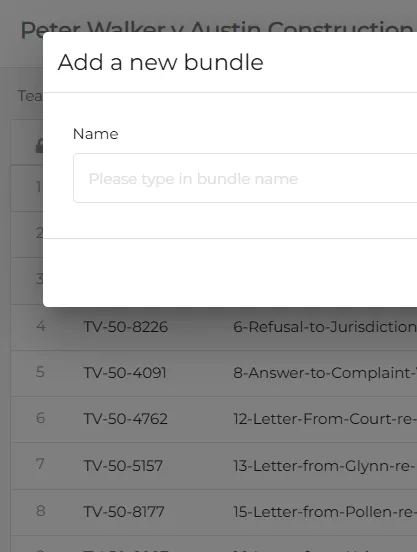
Our electronic court bundle software enables bundle creation in just a few clicks.
TrialView then allows you to easily export your bundle to a bookmarked PDF with a hyperlinked index that is customised to your organisation.
Plus, you can convert multiple file types (including Word, email and Excel) to a singular PDF with OCR built in.
Smart bundling tools
TrialView's smart bundling tools allow you to automatically paginate, bates number, and tab.
Create internal hyperlinks across multiple bundles, include dynamically updating cross-references and links as the court documents change, and use the late insertion features to update your bundle right up to trial.
.webp)
The TrialView team was always efficient and calm and we were amazed at how fast the bundles were created.

B. Cremades y Asociados
.webp)
Simple and easy to use
TrialView's electronic court bundle software is simple and easy to use. There are no intensive training steps that take up your team's time.
As well as our customer support team, our online help centre is on hand to guide you through each part of the product, and includes step-by-step guides and video tutorials.
Where is TrialView used?
TrialView uses its intelligent technology and the latest AI capabilities to enhance our clients' dispute resolution around the world.
Find out more
Litigation
Used by courts around the world, TrialView's streamlined platform provides a seamless transition from bundle preparation all the way through to trial.

ADR
Use TrialView for arbitration, adjudication and mediation. Our support team can then work with you to align your current workflows and processes for a streamlined experience

Arbitration
As a trusted provider at the ICC, IAC, DDRC and other leading arbitral institutions, we offer a connected hearing service for domestic and international arbitrations.

Tribunals
TrialView is frequently used for large investigations, regulatory hearings and high-profile statutory inquiries. It brings all parties together in a secure and cohesive workspace.




FAQs about TrialView bundling software
Streamline your court preparation with TrialView’s intelligent court bundling software.
Designed to handle the complexities of modern disputes practice, TrialView automates the creation of court-compliant digital bundles in minutes. With advanced features like automatic OCR, smart pagination, and dynamic hyperlinking, TrialView eliminates manual tasks, ensuring your legal team can focus on strategy rather than administration.
How can I add a last minute document or piece of evidence into my bundle?
What file types can be included in a TrialView digital bundle?
What is "Smart Pagination" and how would it benefit my legal team?
See TrialView in action
As one of the leading litigation platforms, TrialView is the perfect addition to your tech stack. Book a free demo to get started.
Book a demo